Create and use a PDCA
Create a PDCA
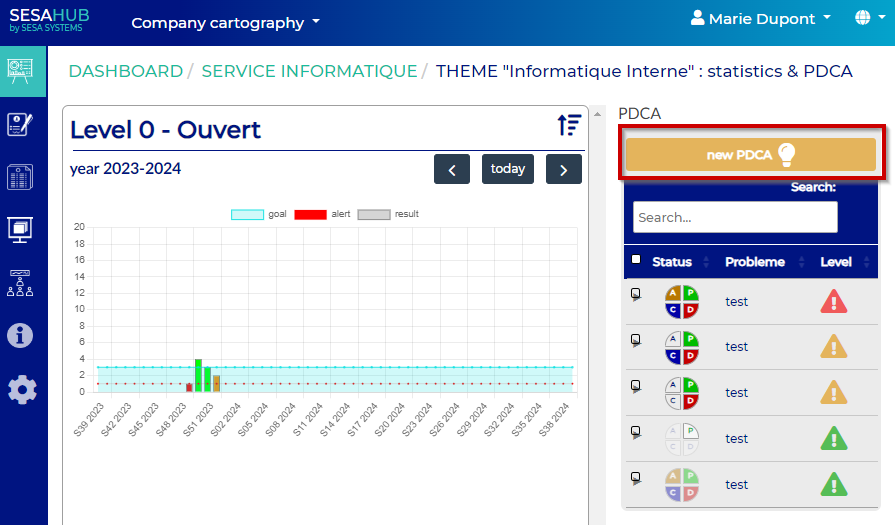
From the statistic and PDCA menu, click on « New PDCA »
Complete the fields as the specific requierement of the action plan to create :
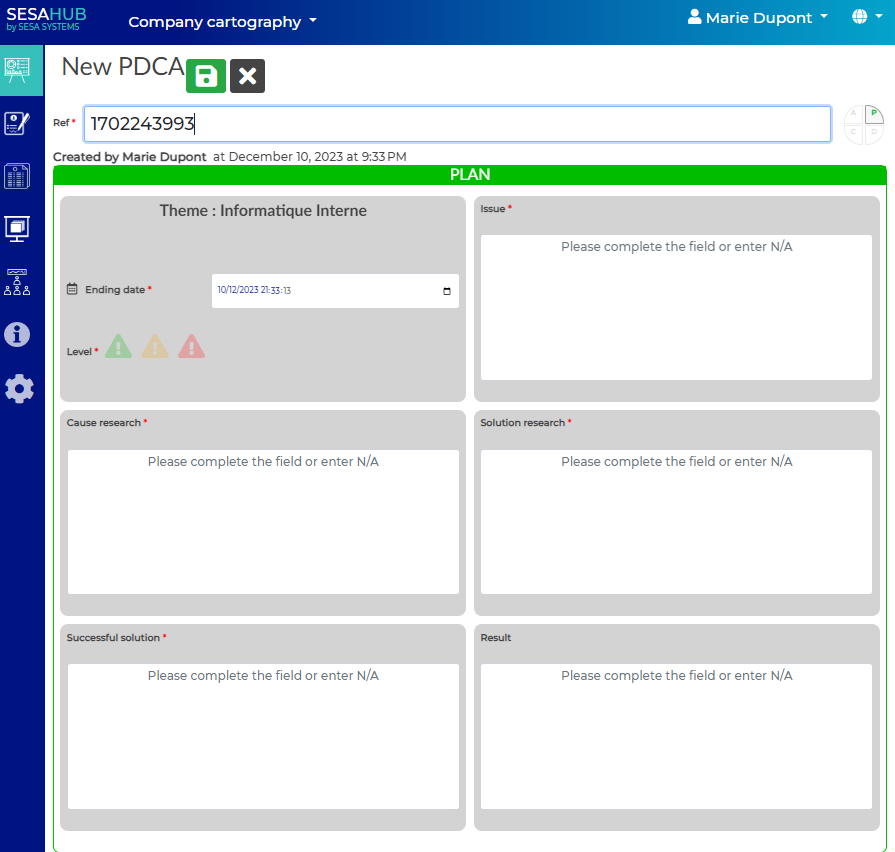
WARNING, the reference is an automatic field, it has to be unique !
How to use :
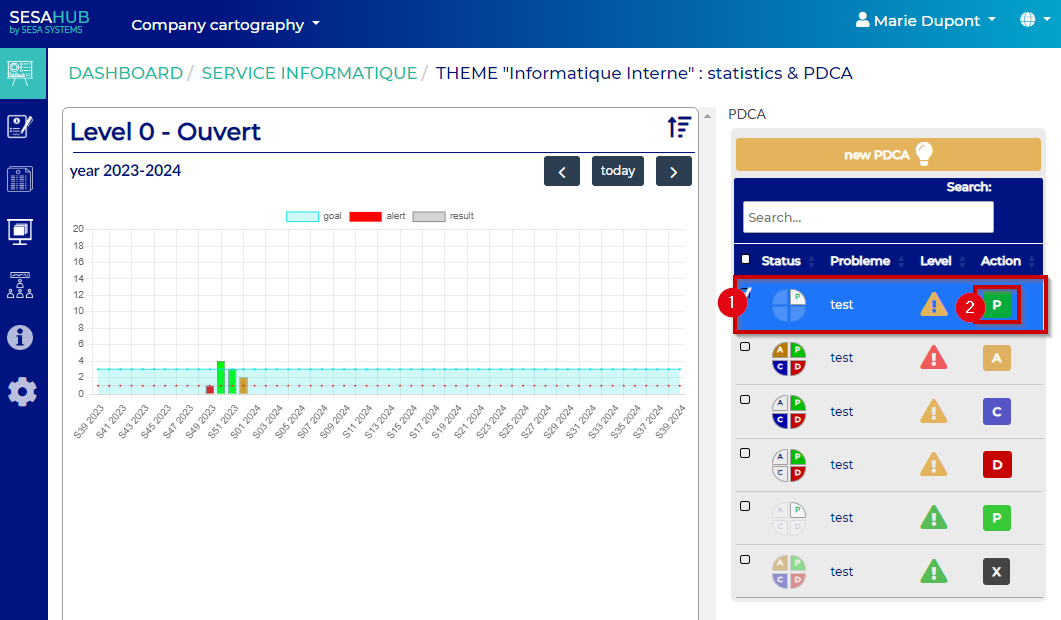
Edit the selected PDCA by clicking on the 2nd point
Validate the action plan
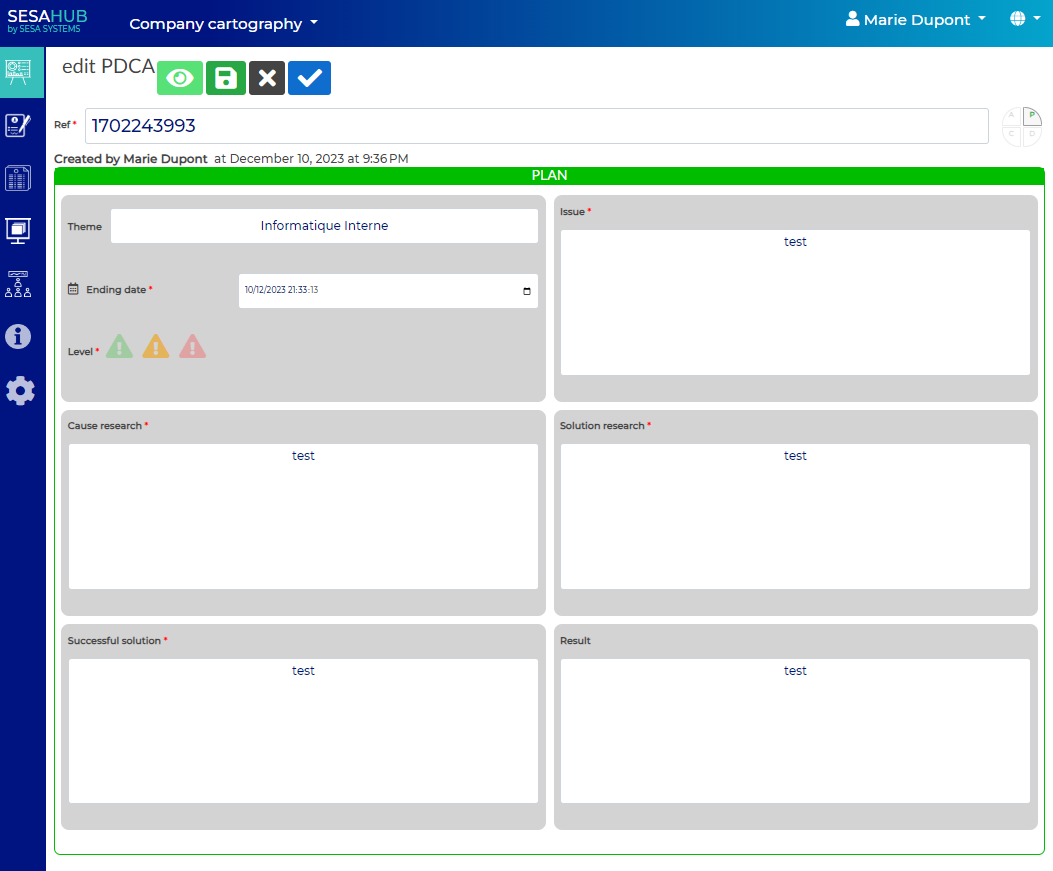
New fields are available
Complete them as requiered by the action plan :
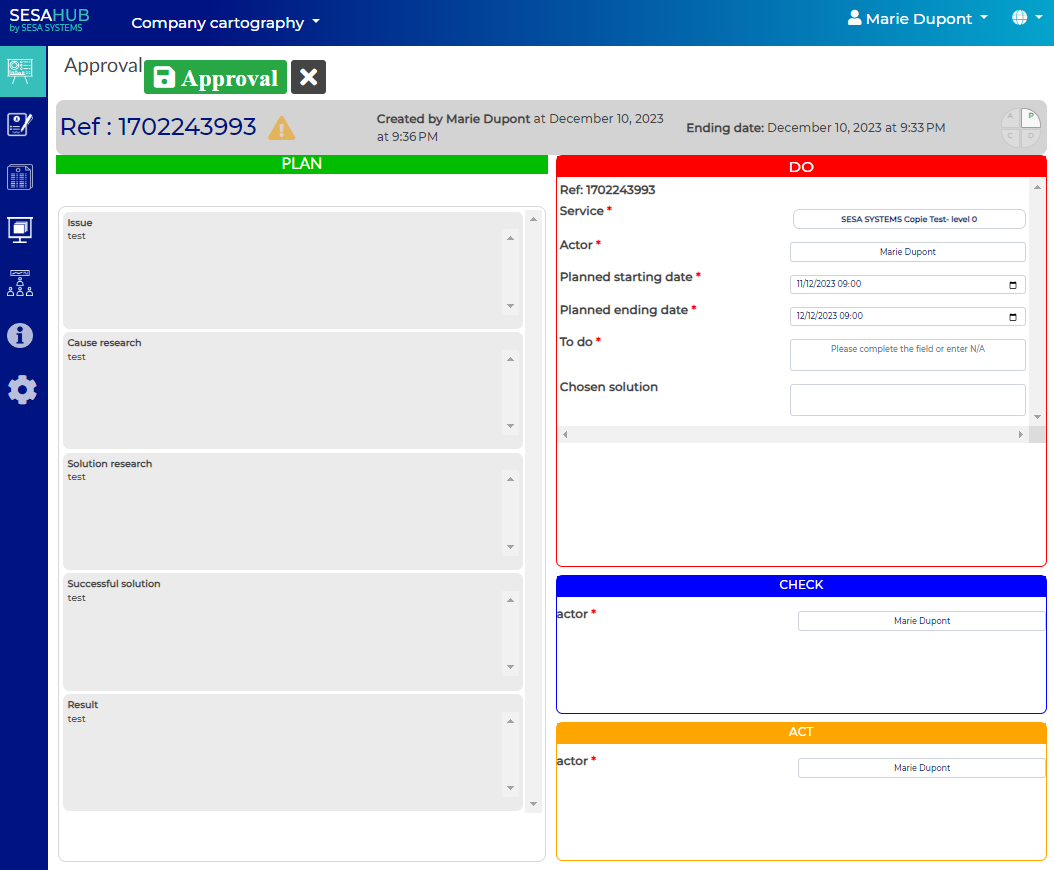
Validate the steps by clicking on Approuval button
New fields are available
Complete them as requiered by the action plan :
Click on Approuval once the step is done
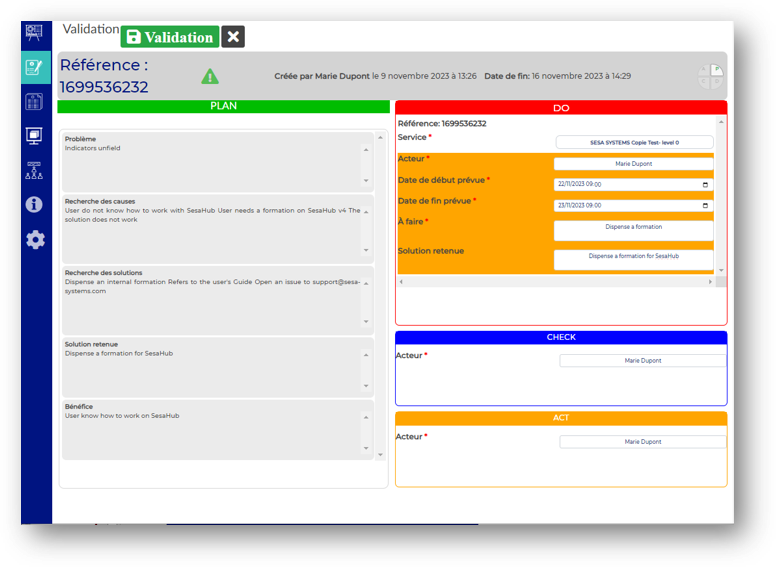
Complete the fields,
Save the changes to go next step
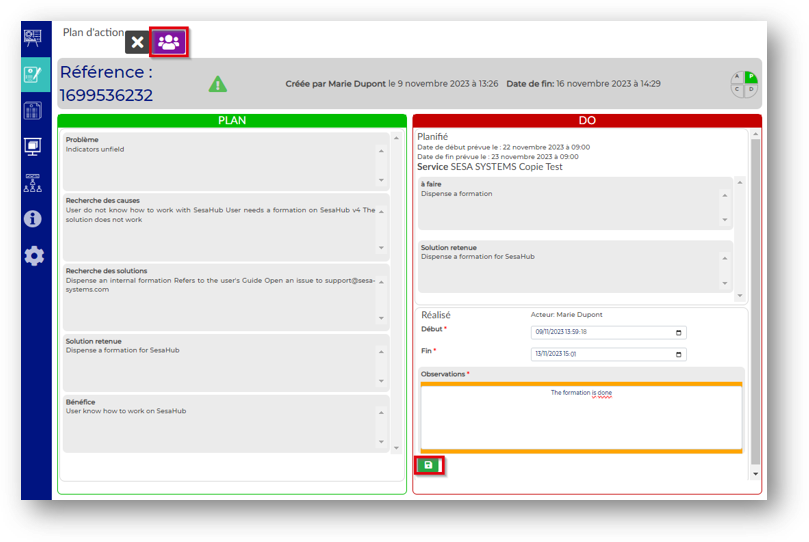
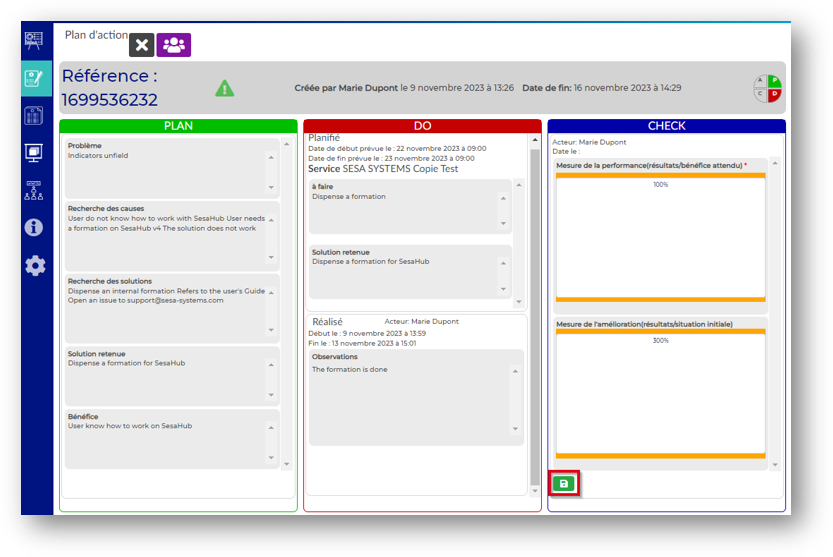
The user who checks the action has to validate the aciton by clicking the check button
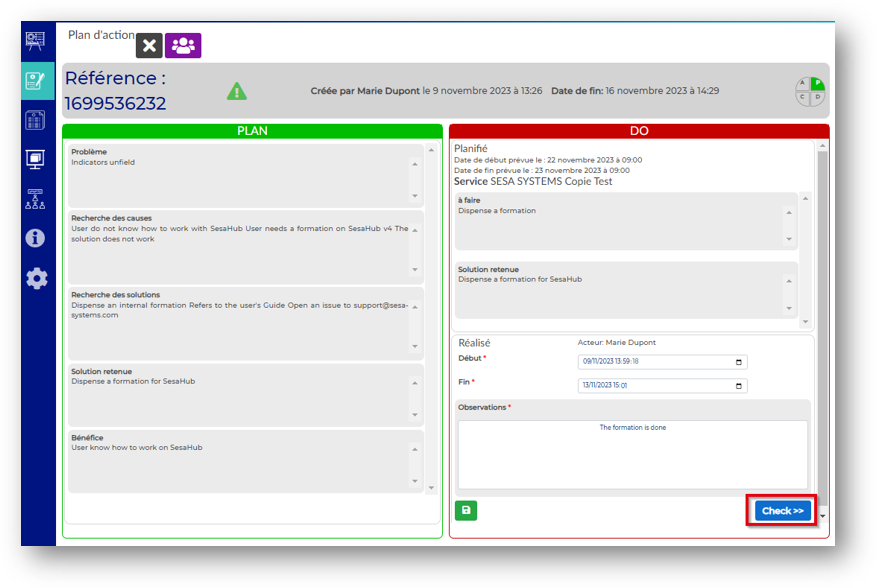
Complete the new fields
Save the informations
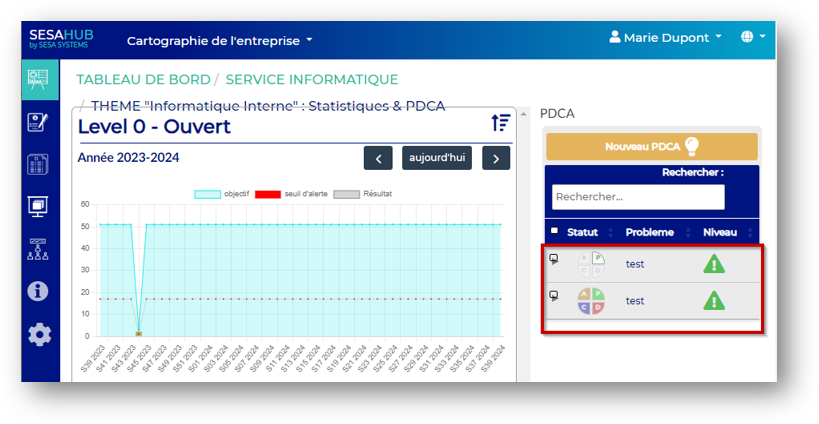
The PDCA's overview and statement of them is now available
 | PDCA initialized Plan in progress |  | PDCA in progress Check realized |  | PDCA finished and closed |
 | PDCA Action DO realized |  | PDCA Action Action plan finished |